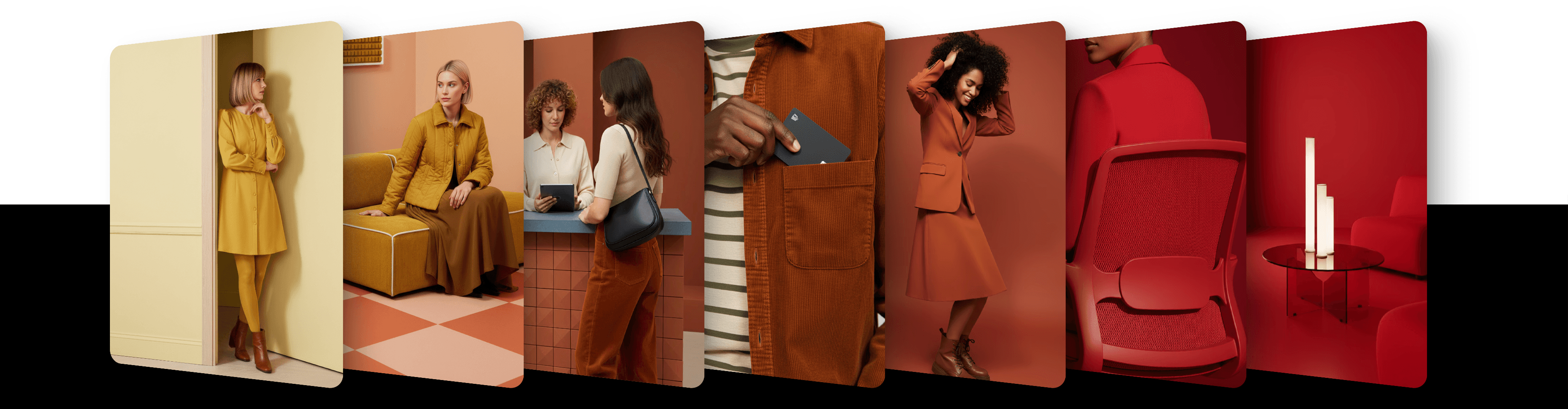
Anchor a product into any scene with Product pin

Use Product pin to place a real product into any scene. The product is embedded naturally into the composition — just describe the setting.
You can anchor a product into any scene using Product pin. The product is embedded into the generated image while preserving its original appearance.
This is ideal for showcasing real products, such as bags, shoes, devices, or accessories, in new environments and settings.
We recommend using high-quality, photorealistic product photos. Illustrations or stylized images may produce unexpected results.
How to use it
Choose a model that supports Product pin (see the list below)
Add the product photo with the + tile at the start of the image row, or drag it onto the page or paste it
Click the image's thumbnail and set Role to Reference and Method to Product pin
Describe the scene in your prompt
Click the round arrow button to generate
How it works
The system uses your reference image as the product and anchors it visually into the generated scene.
It keeps the product's shape, proportions, materials, colors, packaging and label text as much as possible, and fits it into the scene with matching scale, perspective, shadows and lighting.
Your prompt defines the scene around the product.
Photorealistic input works best. Stylized images may lead to distorted or inconsistent results.
You can use one pin per request: a Product pin or a Character pin. It can be combined with Image to Prompt images, but not with Instruct, Scene or Sketch: whichever you add later is dimmed and left out of the request.
Model compatibility
The Method menu in an image's settings offers only what the selected model supports. Methods the model doesn't support are greyed out.
As of October 2026, these Base Models support Product pin: FLUX 3 Image, Flux.1 Kontext, GPT Image 2, GPT Image 2.5 Flare, GPT Image 2.5 Sunburst, Nano Banana 2, Nano Banana 2.1, Nano Banana Pro and Riverflow 2.5 Pro. Artist Styles, Private Styles and video models don't, and some models that support Instruct have no pins. Where Product pin isn't supported, it is greyed out in the Method menu.
Updated
23 October 2026