How to train AI to replicate your brand style

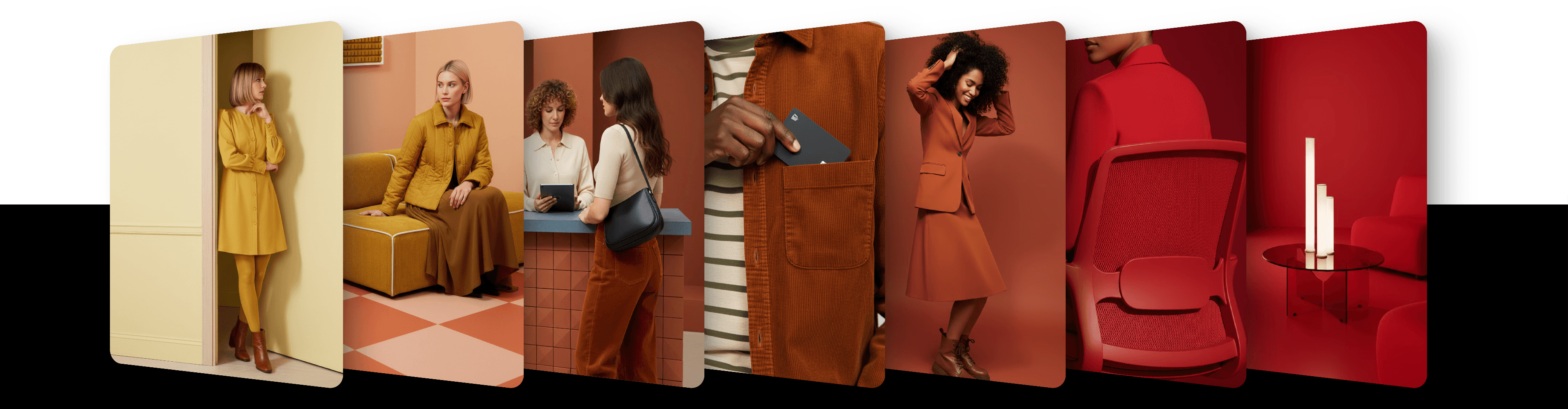
You can teach the AI to replicate your brand's style by training a private style based on your own images. Once trained, this style can be reused with any prompt — generating new images that stay visually consistent with your brand.
What is style training?
We use fine-tuning on a curated dataset of 5+ consistent images. The adapter learns:
Anatomy and proportions
Materials, textures, and fine detail
Color palette and lighting
Composition and camera cues
Illustration traits like line weight, shading, rendering, and shape language
Applied to new prompts, your trained style consistently reproduces these characteristics — unlike generic filters. The style is yours and remains private unless you choose to share it.
What can you do with it?
Photography — replicate consistent lighting, color, and tone across product, lifestyle, or portrait shots
Illustration — preserve brushwork, line weight, shading, and visual language across scenes
3D — maintain a fixed rendering style for turntables, stills, or mockups
How style training works
Prepare your dataset
Open the Create new menu in the header and choose Train style. Upload 5 to 50 images with consistent visual treatment — people, objects, or environments that reflect your brand identity. Each file can be up to 50 MB.
Every image is checked automatically when you upload it. Images that fail a check are flagged and are not used for training. See How to compile a perfect dataset for your model for the criteria and limits.
Train your style
Click Start training. Training a private style uses credits every time, including retraining. The current cost is under Your credits cover: click the balance in the top-right corner. Training typically completes in 1–3 hours. When your style is ready, we send you an email with up to 10 preview images made with it.
If you don't have enough credits, a window opens that shows what is left on your balance, with Contact us.
Use your trained style. Once training is done, your private style is ready to use with no expiration. To use it, choose exactly 2.5 Style in the model menu of the prompt bar, click Style and pick your style under My styles. On desktop, the prompt bar shows the cost of each request before you generate, and High quality costs more than Low, the default. Generated images carry a watermark and stay inside the platform until they are licensed.
License your images
There is no separate purchase step. The first time you download, vectorize or upscale an image, or remove its background, one license is applied to it and the watermark goes. Repeat any of those actions on the same image and no further license is needed. Upscaling, vectorization and background removal still use credits; downloading doesn't.
Each license covers one specific image and gives you personal and commercial rights, worldwide and perpetual, short of reselling the image itself as a standalone file.
The same rule applies whatever the image was generated with — your private style, an artist-created style, or a base model. See How credits and licenses work for the details.
Privacy
Your style is private: other users can't generate with it unless you share it.
Updated
23 October 2026