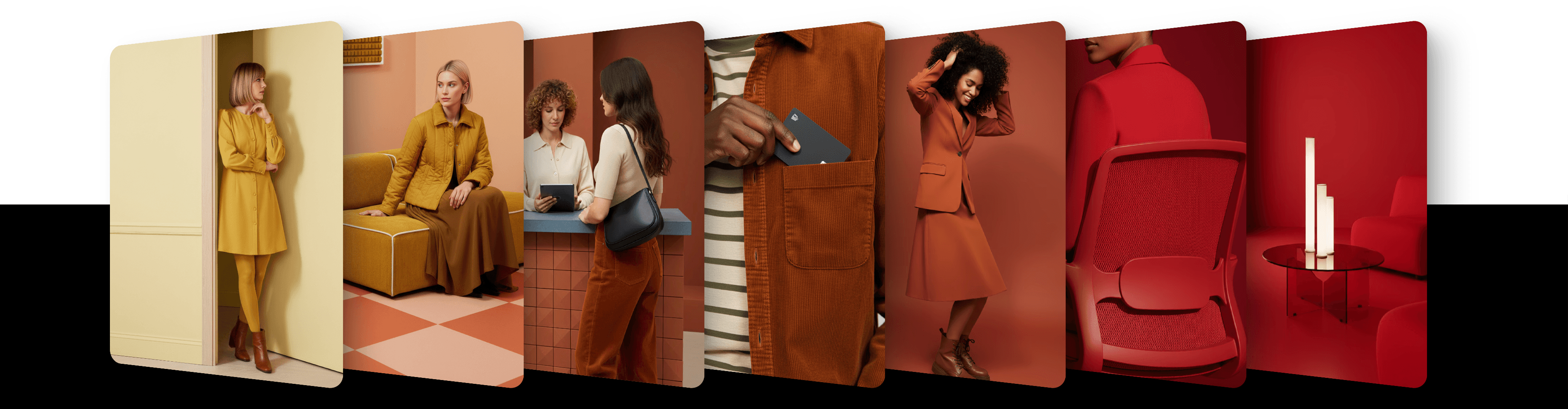
Exactly 1.0 Agentic
Exactly 1.0 Agentic is a style transfer agent in Exactly.ai that lets you generate images by extracting and combining style components from reference images. Instead of training a full model or collecting large datasets, you can reuse visual elements such as composition, lighting, or colour from existing images and apply them to new generations. This allows you to scale an existing style using a small number of references, create a new style by combining elements from different images, or edit images by adjusting individual style components.
Getting started
Exactly 1.0 Agentic works inside a Project. It is not enabled on every account: when it is, you find it in the model menu of the prompt bar, in the exactly.ai section.
To generate images with Exactly 1.0 Agentic:
Open or create a Project
Open the model menu in the prompt bar and choose exactly 1.0 Agentic
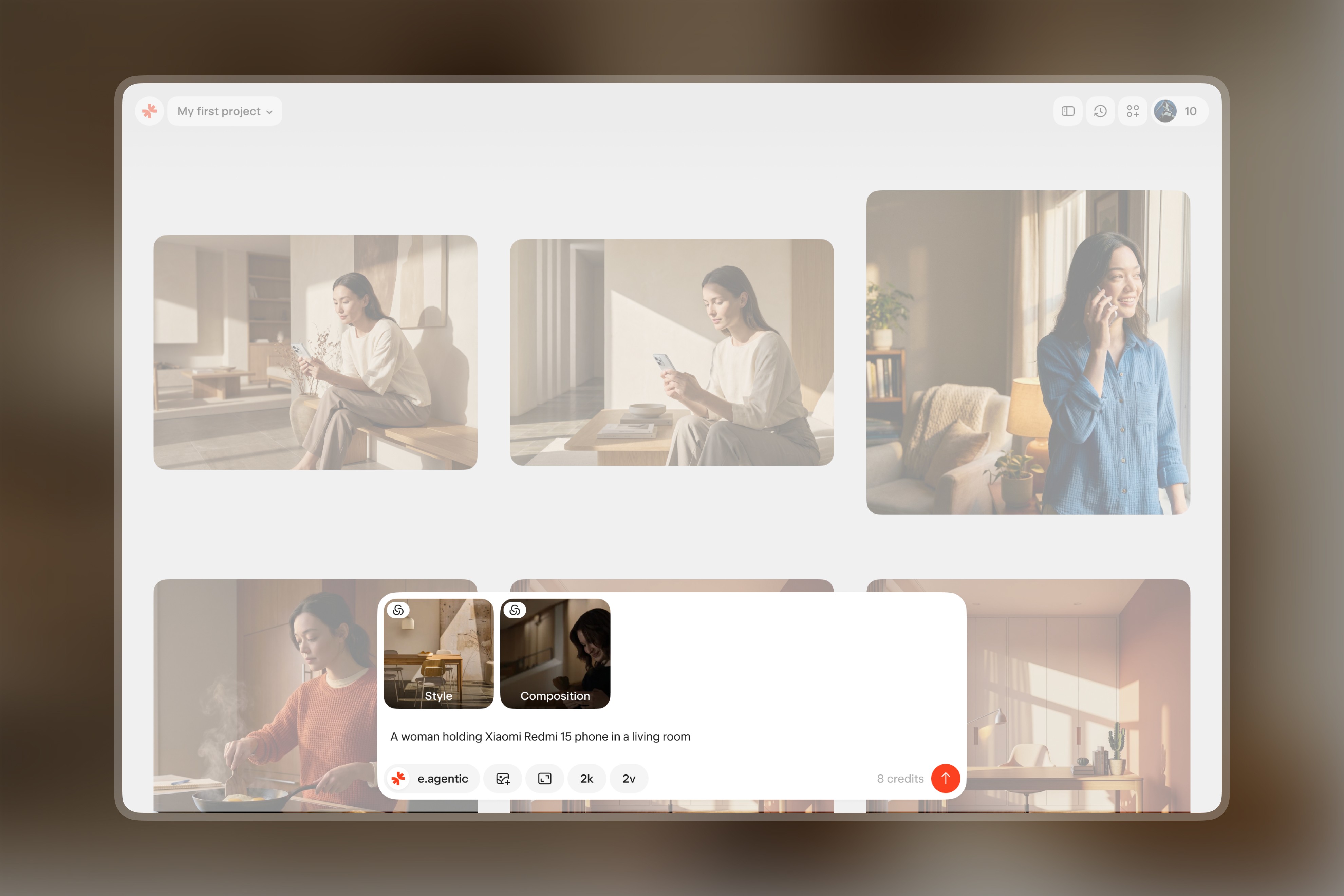
Add reference images with the + in the prompt bar, or drag them in, and configure their settings depending on what you want to transfer (more details about these settings are explained below)
Write a prompt describing the scene and start the generation
You need at least 1 reference image.
Please note that generation may take a few minutes.
Style configuration
Each reference image can be configured to control which visual elements influence the final generation.
To configure settings:
Click on a reference image in the prompt bar
Choose its Role and its Pin — the style component you want to extract
There are two roles: Style and Effect.
Style
Style transfers the overall visual aesthetics of the reference image. The AI captures elements such as the mood, color palette, lighting style, and overall visual direction.
Use this option when you want generated images to follow the same visual language as the reference or preserve the stylistic characteristics of a dataset or reference image.
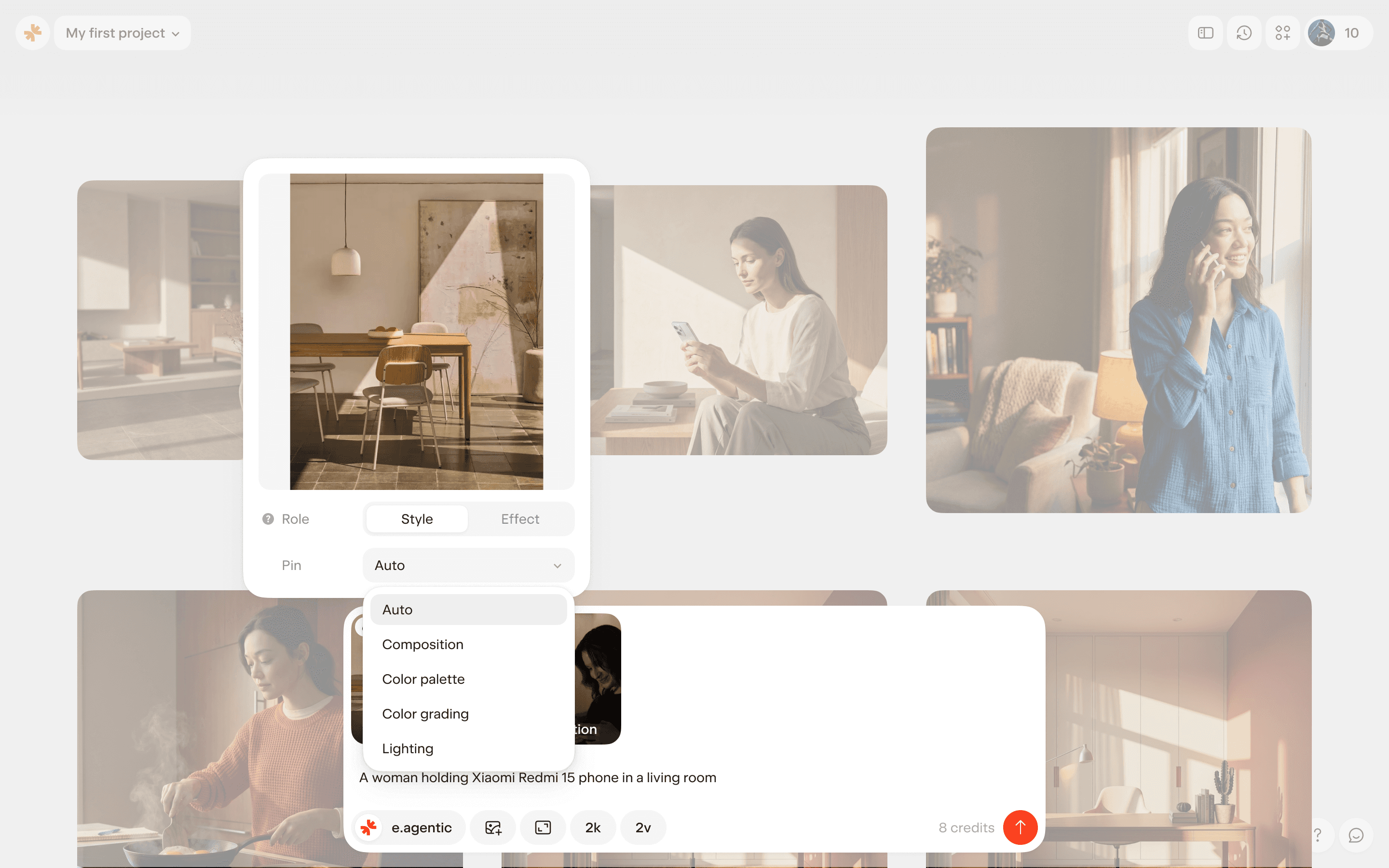
Pins available with this role:
Auto – automatically extracts the most relevant visual features from the image. This is the default
Composition – controls how objects are positioned within the frame
Lighting – controls the direction, intensity and character of light
Color palette – defines the color harmony and relationships between elements in the image
Color grading – controls the overall visual rendering style
Effect
Effect transfers only a specific visual component. The AI extracts a single element such as composition, lighting, color, or rendering while ignoring the rest of the image’s artistic style.
This allows you to combine elements from multiple reference images.
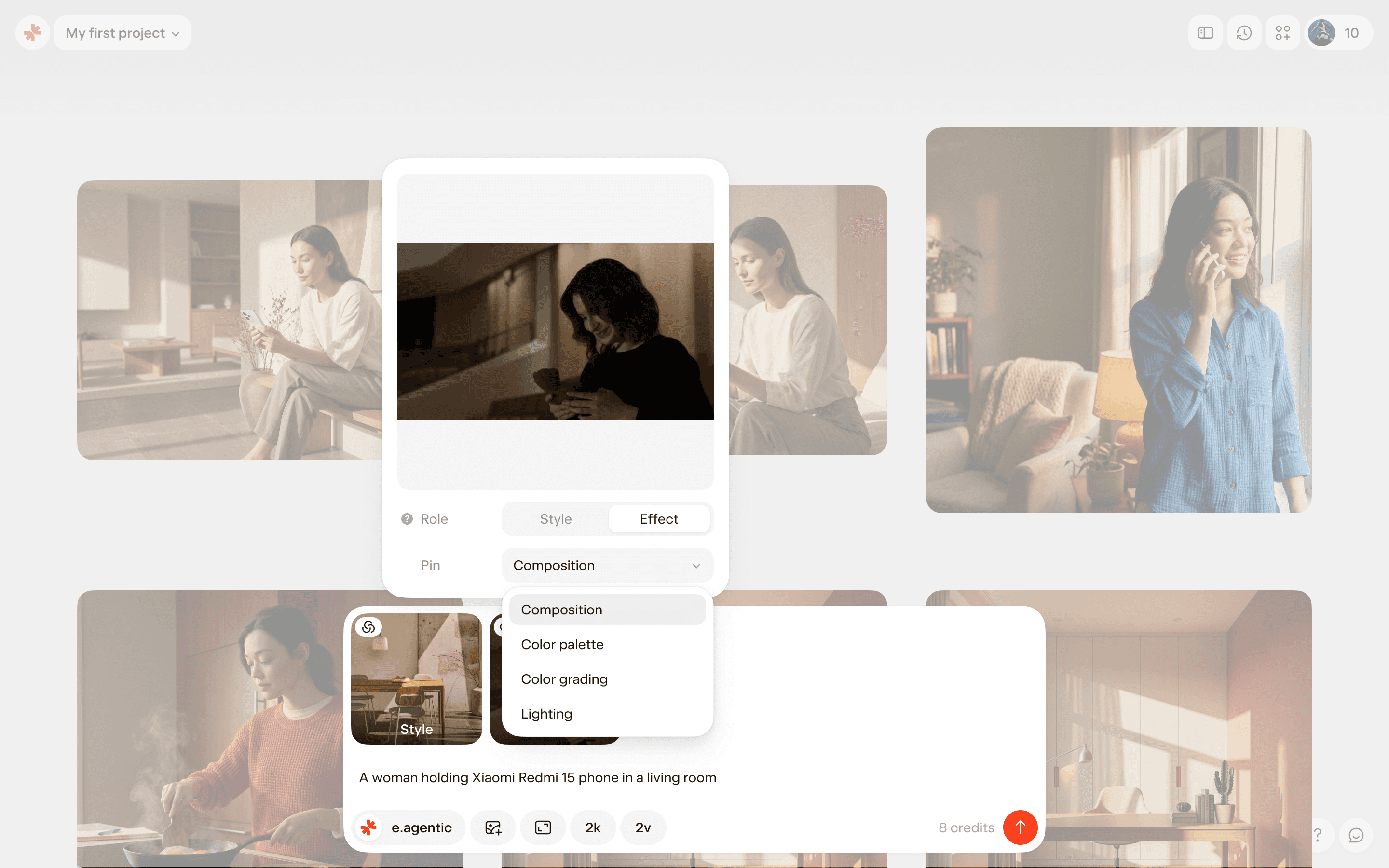
Pins available with this role:
Composition
Lighting
Color palette
Color grading
Each of these four pins can be assigned to only one reference image at a time. A pin that another reference already uses is marked Already in use. Auto can be used on any number of references.
Generating images
By default, Exactly 1.0 Agentic generates 2 images per generation.
You can raise the number with Variations and generate up to 12 images at once. You can change the aspect ratio (3:4 by default) and the resolution, 2k (the default) or 4k, before you generate. With a Style reference attached you can also choose Auto aspect ratio: the model then picks the size, and the resolution can't be set.
The cost depends on the resolution and the number of images. On desktop, the prompt bar shows it before you generate.
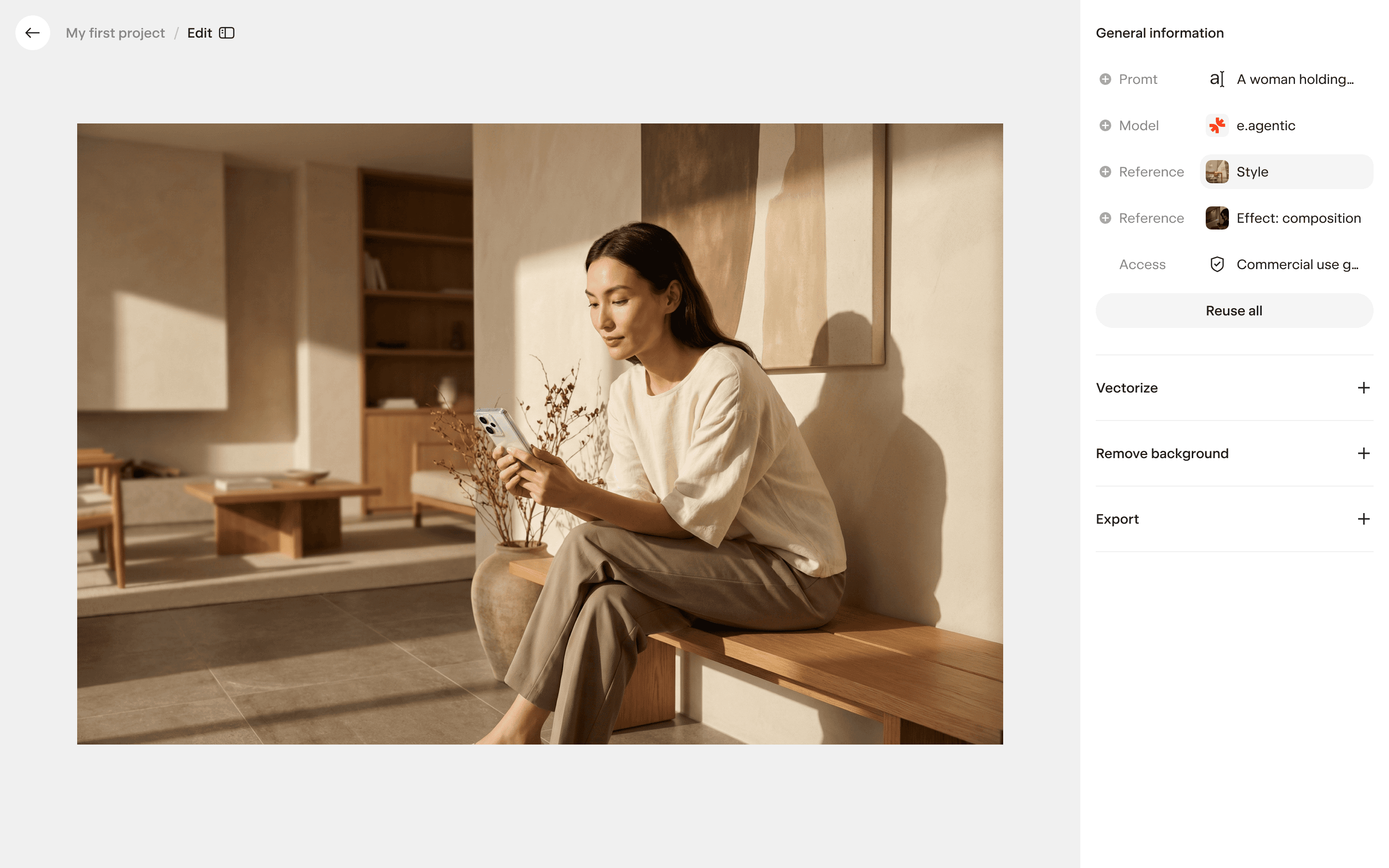
Exporting images
Images generated with Exactly 1.0 Agentic carry a watermark until they are licensed. The first time you download, vectorize or upscale an image, or remove its background, one license is applied to it and the watermark goes. Images generated before 4 September 2026 keep the status they had. See How credits and licenses work.
Generated images can be downloaded in their original resolution or upscaled to 8K.
Best practices
Use 2–3 reference images to provide enough visual context while maintaining consistency
Combine components deliberately – you can preserve the overall style of one image while applying lighting, color, or composition from another
Experiment with partial changes – instead of replacing the entire style, adjust individual components to create variations while keeping the visual direction consistent
Updated
23 October 2026